Pages
Categories
Archives
- June 2010
- May 2010
- April 2010
- March 2010
- February 2010
- January 2010
- September 2009
- July 2009
- June 2009
- April 2009
- March 2009
- November 2008
- September 2008
- August 2008
- July 2008
- June 2008
- May 2008
- April 2008
- March 2008
- February 2008
- January 2008
- December 2007
- August 2007
- July 2007
- June 2007
- January 2007
- December 2006
- July 2006
- June 2006
- May 2006
- April 2006
- March 2006
- February 2006
- January 2006
- December 2005
- November 2005
- October 2005
- August 2005
- July 2005
Signs of bad Mac software
Follow up to my previous post on tell-tale signs of bad Mac software before you even use it.
Five minutes into using Canon Digital Photo Professional (DPP), converting some RAW files into JPEGs and TIFFs, I saw this dialog that I had no idea how to close.
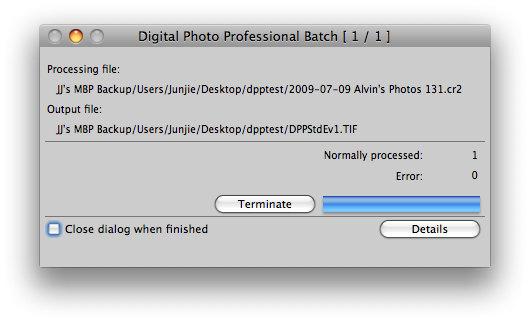
On most sane Mac software, I could have just clicked on the red button on the top left to close this box. But not in DPP because the developers have disabled the close button.
I had to pick up quite a bit of courage to try the “Terminate” button.