
Predictably, my Leopard copy of Saft no longer works on Snow Leopard. A new version was released today but it does not support native 64-bit mode Safari under Snow Leopard. There’s currently no upgrade option for Leopard users to Snow Leopard versions of Saft, and I’m not keen on paying the full US$15 for a version that does not work with 64-bit Safari in Snow Leopard.
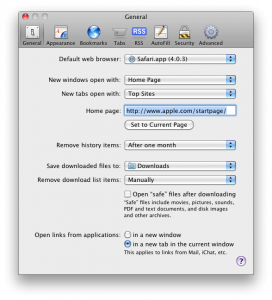
This is not the same as making links that opens a new window to open in a tab
For example, my university’s (NTU) website has a habit of irritating the hell out of us by opening just about everything in a new window. Try it, search for something, boom, a new window appears. Click on the link to the library’s page, and boom, a new window opens.
Fortunately, this can be dealt with without paying for or installing any additional software. You just need to quit Safari totally (Cmd+Q), open up Terminal from Appplications/Utilities, and key in the following:
defaults write com.apple.Safari TargetedClicksCreateTabs -bool true
Launch Safari again, and no new windows shall ever bother you again. Meanwhile, I’m still missing the following features that I’ve grown to depend on from Saft:
- autosave-last-viewed-websites-on-quit-and-restore-on-startup. To be fair, you can get around this by going to History menu > Reopen All Windows from Last Session, though you would have to do this every time you launch Safari,
- undo when you accidentally closed a tab or page (no workaround now),
- drag scroll a page by holding down the Control key and flicking the mouse (something I got too used to and it’s bugging me that I can’t do it now).
- type ahead search